Today
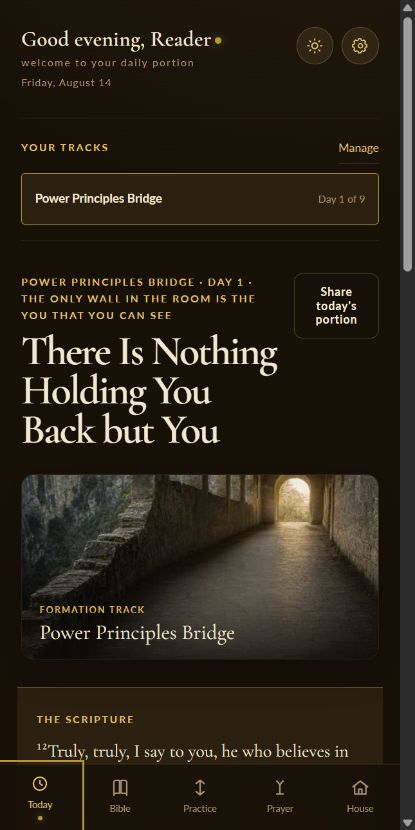
Your portion for this day.
Return to one clear next step: the reading, prayer, track day, or practice that is ready now.

From the House of Lyons
A quiet daily practice.
Scripture, prayer, guided practice, and formation tracks gathered into one calm rhythm. Daily Portion is free to use, works without an account, and is built to help you return tomorrow.
No account required · Your practice begins on your device
I
The daily rooms
Today
Return to one clear next step: the reading, prayer, track day, or practice that is ready now.
Bible
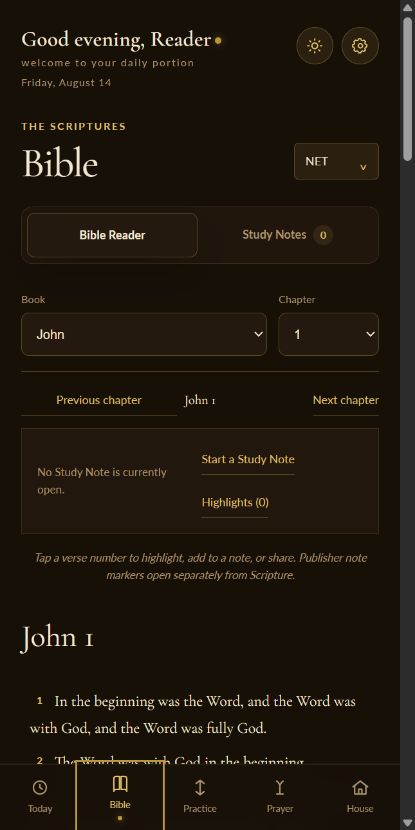
Read multiple translations, preserve publisher notes, highlight verses, and write study notes without leaving the room.
Tracks
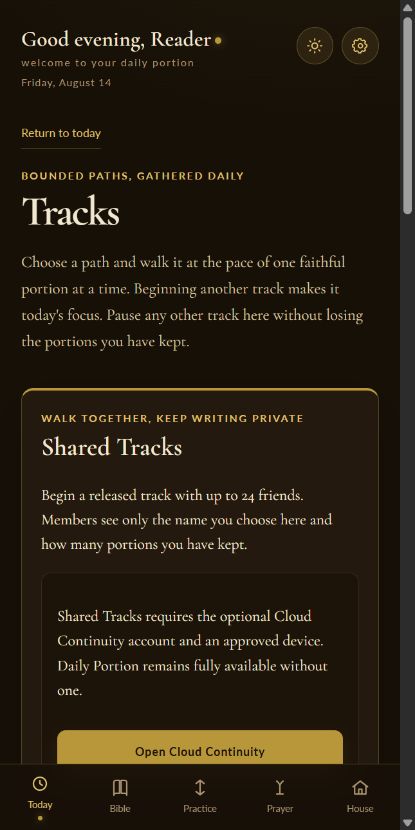
Walk a guided sequence one day at a time, pause when needed, and choose a different track when the season changes.
Prayer
Hold a simple prayer list and record answered prayer without turning devotion into another noisy system.
Practice
Schedule and complete small spiritual practices that put the day’s formation into your hands.
II
Walk together
Begin a track with a friend or a small group. Each member can see who has completed the day, while personal journal entries, prayers, Bible notes, and private responses remain private.
III
Local first
Daily Portion works without an account. Your reading preferences, progress, prayers, notes, and practices begin on your device.
If you choose an account, it exists for continuity: encrypted sync across approved devices and participation in private Shared Tracks. It does not create a public profile or a social feed.
Read the Daily Portion privacy notice →IV
Inside the practice
V
Keep it close
Open it in your browser first, then follow the short path for your device.
iPhone or iPad
Android
Computer
The portion is ready
No account, subscription, or streak is required. Open the door and take today’s portion.
Open Daily Portion